WhatsApp appointment reminders for your salon
Remind clients of their appointment from your salon's own WhatsApp number, the one they already message you on. For hair salons, barbers, nail and lash studios and beauty centres.
Get started — 14-day guaranteeSent from your own number. No WhatsApp Business API needed.
An empty chair is an afternoon you don't get back
Clients rarely skip on purpose. They forget, or remember too late to tell you.
Bookings come in through Instagram, calls and WhatsApp, and some get forgotten.
A no-show on a two-hour colour appointment wipes out half your afternoon.
You can't answer the phone with a client in the chair.
Clients put off booking their next fill or touch-up until it's overdue.
1. Connect your salon's WhatsApp
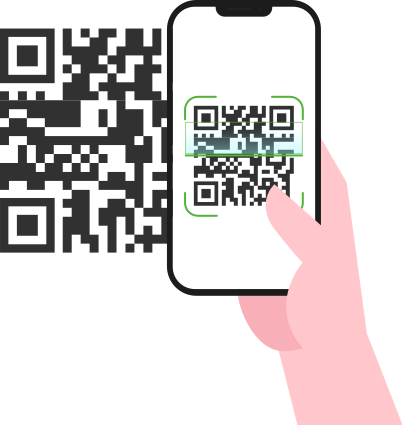
Scan a QR code, just like WhatsApp Web. No WhatsApp Business API, no new number and no templates to get approved. Works with WhatsApp and WhatsApp Business.
2. Schedule reminders your way
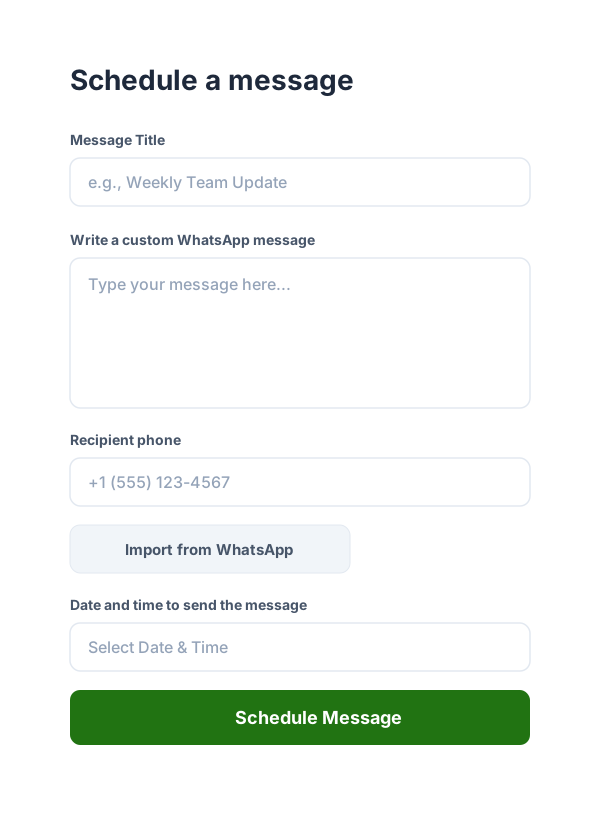
Add a reminder in the app in under a minute, picking the client from your saved contacts. Or put your booking page link in your Instagram bio, so clients choose a time themselves and get a confirmation and a reminder automatically. If you already use Google Calendar, sync it and every appointment with a phone number gets its reminder.
3. Your client gets it from your number
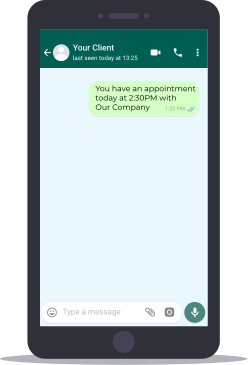
The reminder arrives from your salon's WhatsApp. If the client replies to confirm or asks for another time, the reply lands in your usual WhatsApp chat.
Reminder messages for your salon
Examples you can copy and adapt. Variables like {{DD}} and {{HH}} fill in each appointment's day and time for you.
Reminder the day before
Hi! This is Clara from Studio Clara. See you tomorrow, {{DD}} {{MM/DD}}, at {{HH}}. If something comes up, just reply here and we'll move it.
9:41
Colour appointment
Hi, a reminder of your colour appointment on {{DD}} at {{HH}}. It takes about two hours, so plan a little extra time. Please let us know by tonight if you can't make it.
9:41
Booking page confirmation
You're booked at {{event_title}} on {{DD}} {{MM/DD}} at {{HH}}. To see or cancel your appointment: {{BOOKING_LINK}}
9:41
Lash fill reminder
Hi! It's been three weeks since your last lash set, so it's a good time for a fill. Want me to save you a spot this week?
9:41
Barbershop
Hey, it's Marco from The Corner Barber. Your cut is on {{DD}} at {{HH}}. Running late? Send me a message so I can keep your spot.
9:41
Thank you and review
Thanks for coming in today! If you're happy with your nails, a quick Google review helps us a lot. See you next time.
9:41
Built for the way salons work
A reminder the day before, so clients cancel in time and you can offer the slot to someone else.
A booking page you can share in your Instagram bio, so clients book while you work.
Regulars who come every two weeks or every month, scheduled once as a recurring appointment.
A follow-up after the visit to thank the client, ask for a review or suggest the next appointment.
A plan for every salon
Save one missed appointment a month and the plan has paid for itself.
Basic
For independent stylists and small studios
$19
per month
200 WhatsApp messages per month
Reminders sent from your own number
Your own booking page
Import your contacts
Sync up to 4 Google Calendars
Startup
For salons with a small team
$29
per month
Everything in Basic, plus
500 messages per month
More room for follow-ups and rebooking messages
Sync up to 12 Google Calendars
Business
For busy salons with several chairs
$39
per month
Everything in Startup, plus
1,000 messages per month
Room for reminders across the whole salon
Sync up to 20 Google Calendars
Prices are in US dollars. 14-day money-back guarantee on all plans if WA Reminders is not a fit: full refund, no questions asked.
Frequently asked questions
Ready to stop losing appointments?
Connect your number, schedule your first reminder or share your booking page, and let WhatsApp do the rest. Every plan comes with a 14-day money-back guarantee.
Get started