
WhatsApp reminders from Google Calendar: the complete guide
Google Calendar already emails your attendees a reminder. The problem is that almost nobody reads it — automated email lands in Promotions or gets buried, and the appointment gets missed anyway.
Connecting your calendar to WhatsApp fixes that. Every event becomes a WhatsApp reminder, sent from your own number, without you doing anything after setup. This guide covers the whole thing: connecting the calendar, how events are matched to phone numbers, message variables, multiple calendars, and what to check when nothing sends.
Why WhatsApp rather than email or SMS
- It gets read. WhatsApp is the most used messaging app in the world and messages are opened within minutes, not days.
- It costs nothing per message. Unlike SMS, you are not paying per reminder.
- Your client installs nothing. The reminder arrives in the same conversation they already use to talk to you.
Setting up Google Calendar sync
Sign up using Google. This step is not optional — WA Reminders needs Google authorisation to read your calendar, and an email-and-password account cannot be connected afterwards. If you already made an account with email and password, log out and sign in again with Google.
- Create your account with Google Sign In at WA Reminders.
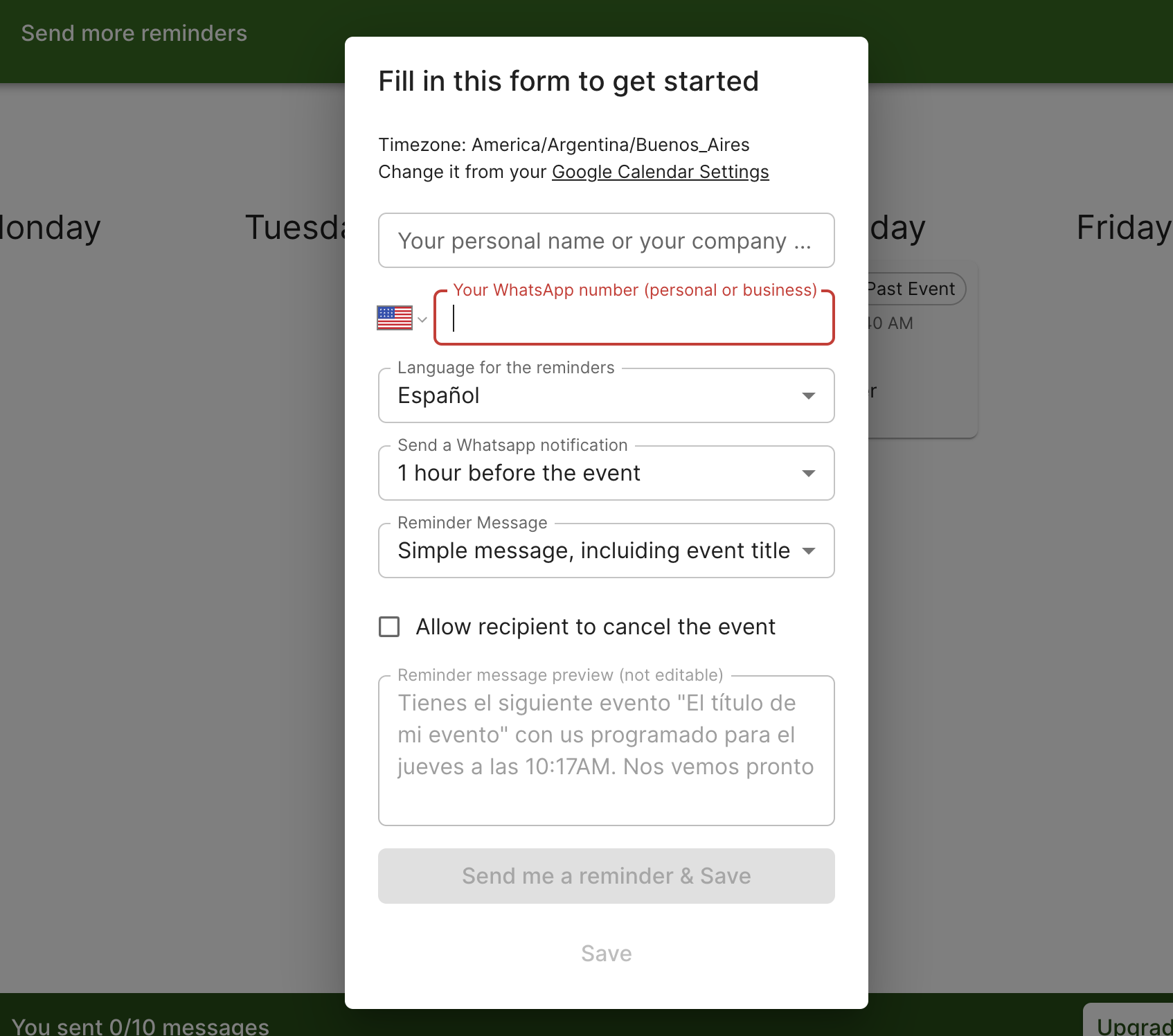
- Add your WhatsApp number in the setup form and link WhatsApp by scanning the QR code.
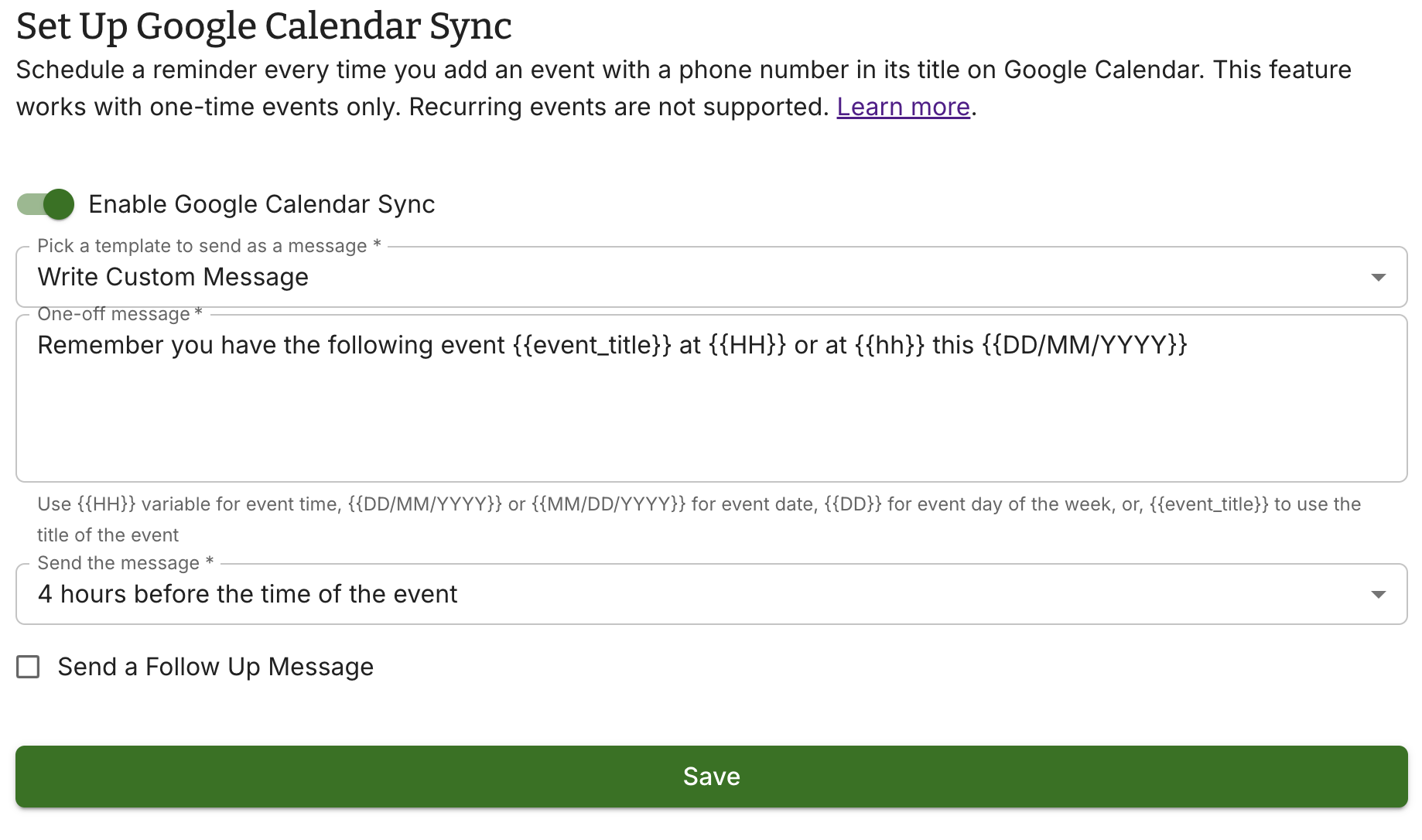
- Enable sync in Google Calendar settings: turn on the toggle, write the message you want sent, and set how long before the event it should go out.
- Add your calendars. You can sync up to four at once. Events only sync from calendars you have added here.
How events are matched to a phone number
This is the part that trips people up. WA Reminders needs to know who the reminder goes to, and it finds that in one of two ways:
- A phone number written in the event title or description. It must be in international format, starting with
+, with a space before and after it. - A contact you have saved in WA Reminders, matched by the name in the event.
If neither is present, no reminder is created for that event — which is why a calendar can look connected while nothing sends. Importing your contacts first is the easiest way to avoid this.
Correct formatting:
Cleaning — Maria Rossi +34623122334
Remember your appointment
Phone: +34623122334
Incorrect — these will not be picked up:
(754) 279-3549          no country code
7542793549              no country code
+34623122334,           punctuation touching the number
Up to four phone numbers can be picked up from a single event.
Personalising the message with variables
Rather than sending the same text every time, you can pull details from the calendar event:
{{event_title}}— the event title{{event_description}}— the event description{{gcal_meeting_link}}— the Google Meet link, if the event has video conferencing
So a template like Hi, reminder of your {{event_title}} tomorrow fills itself in for every appointment. There is a full list of variables here, and if you would rather start from wording that already works, there are appointment reminder templates by industry.
Recurring events
Both one-off and recurring events are supported. A weekly therapy slot or a course of physiotherapy sessions creates a reminder for each occurrence, so you set it up once.
Watch it in action
Step by step, in pictures
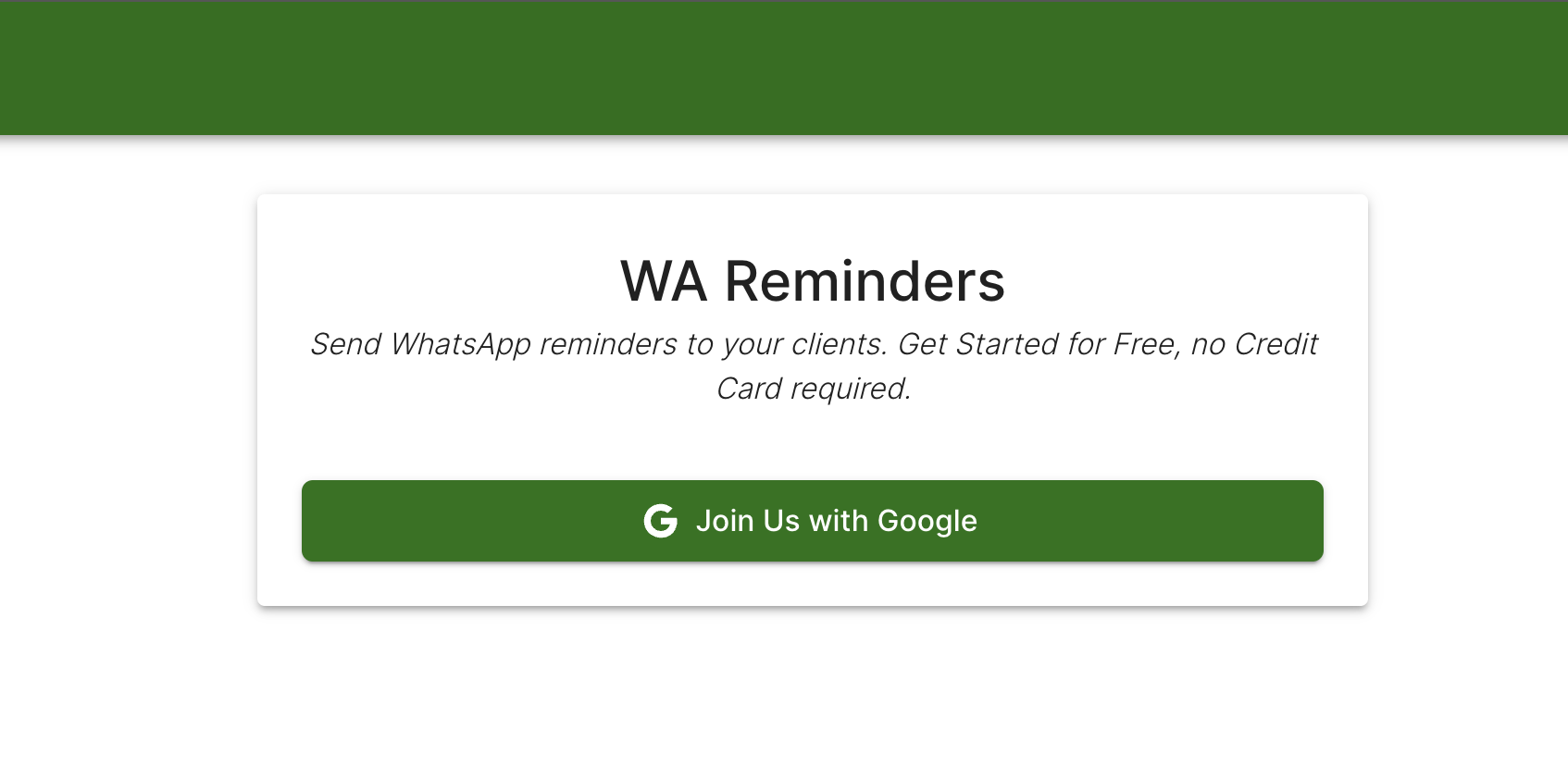
Create your account
Fill out the setup form
Create a new event in Google Calendar
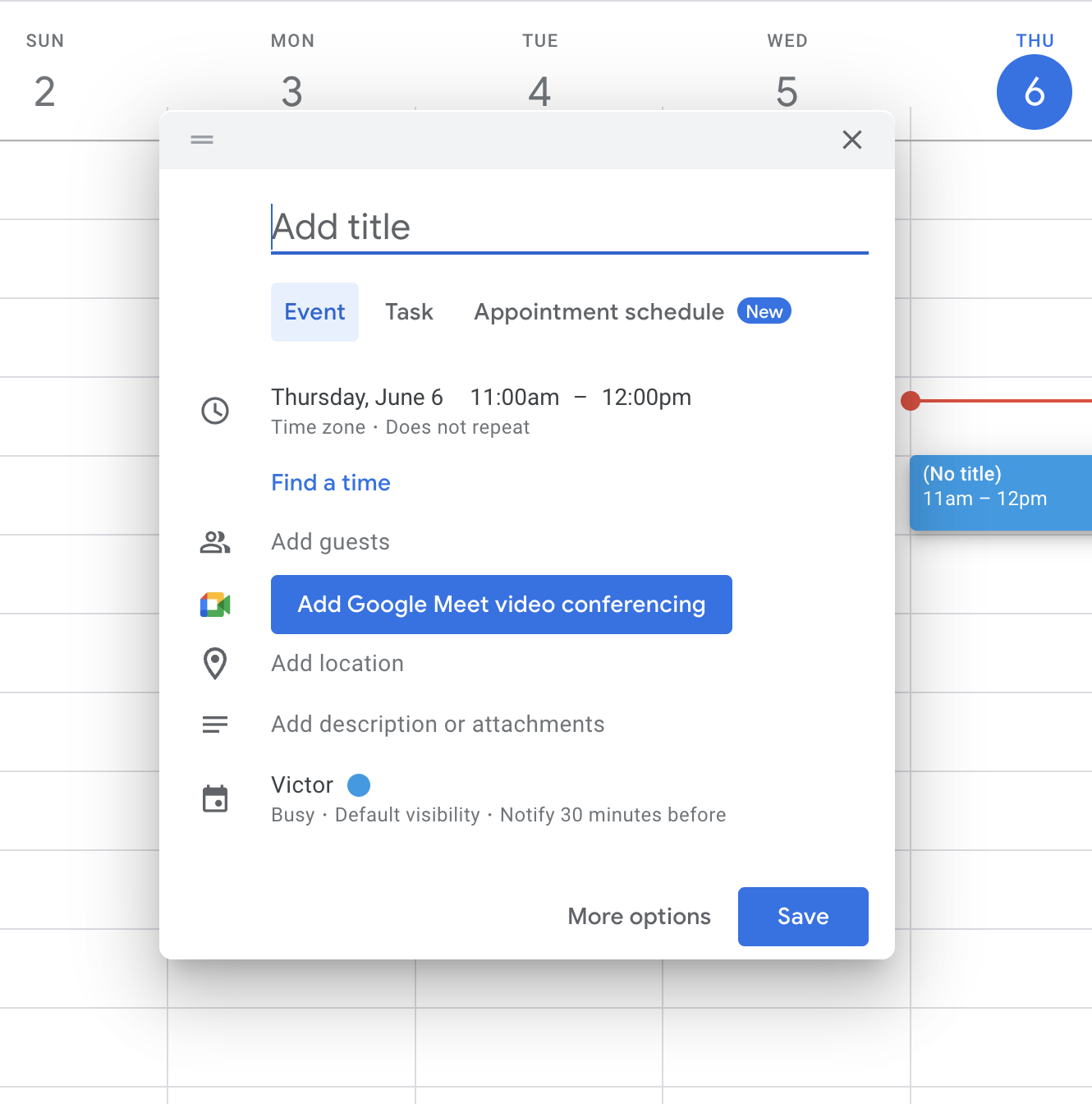
Add the phone number that will receive the reminder
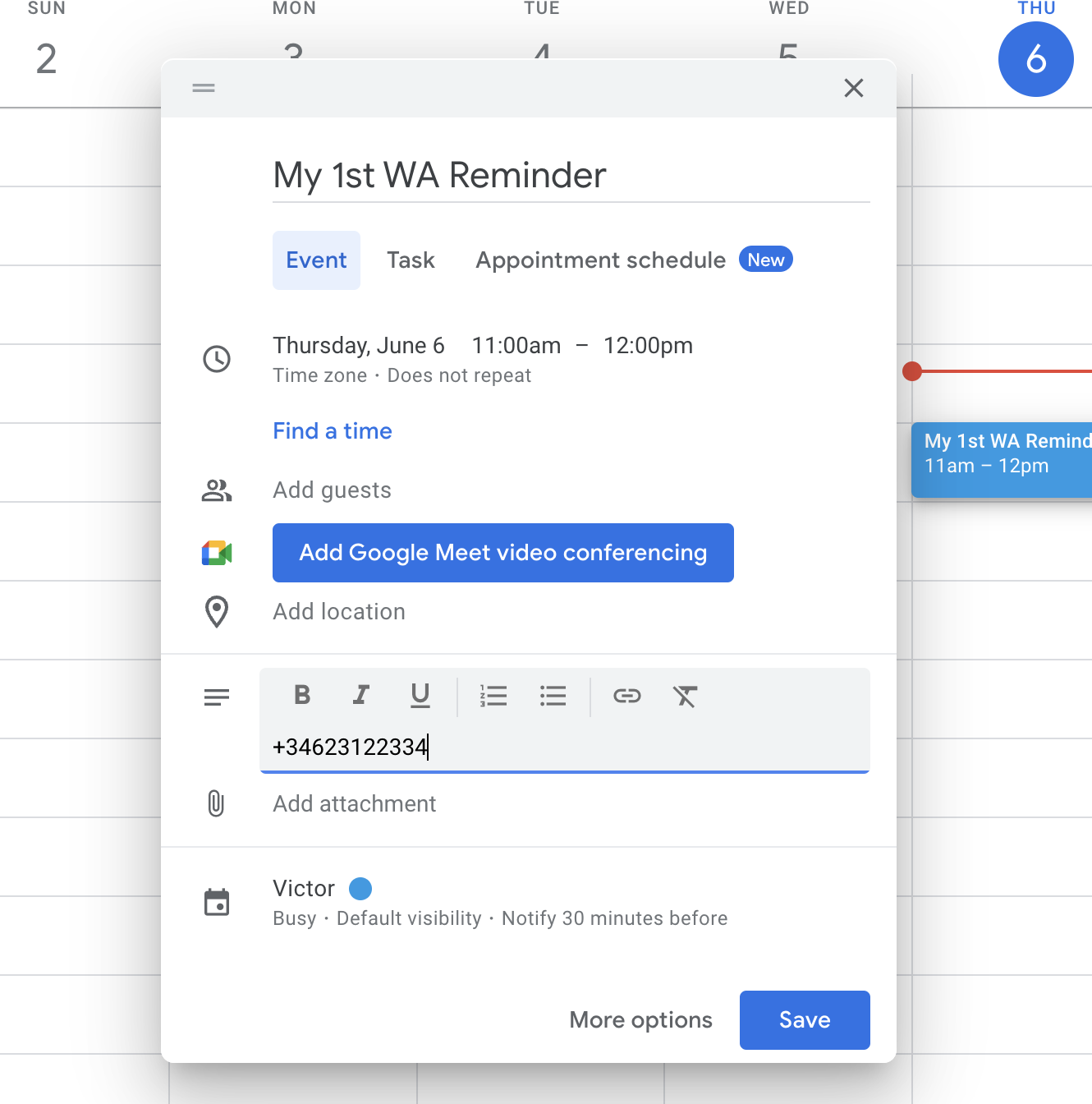
Remember to include the international country code and to leave a space either side of the number.
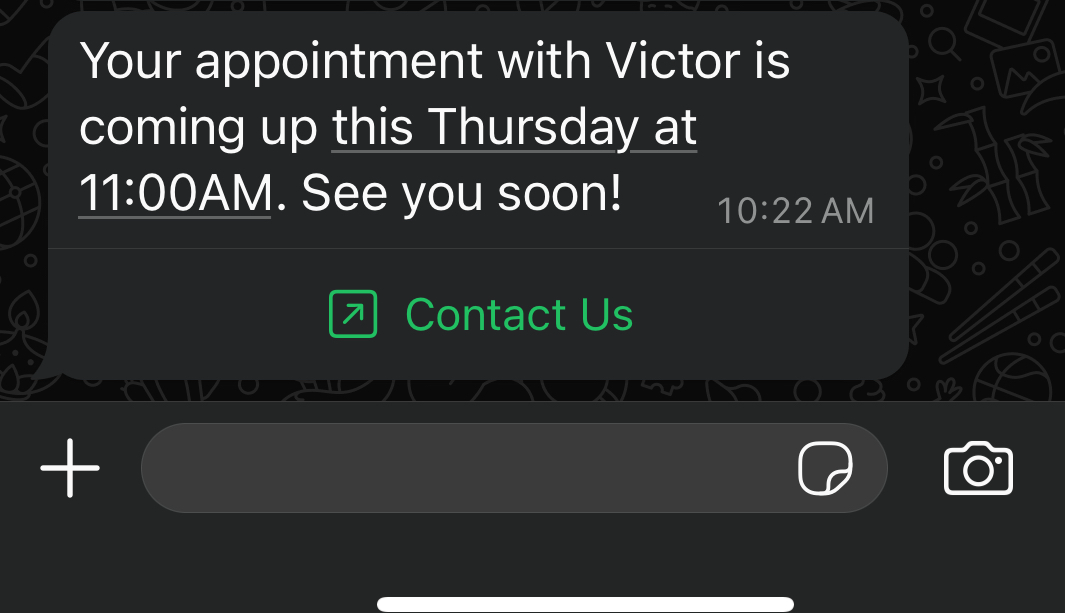
This is what your client receives
Pick contacts without leaving Google Calendar
Our Chrome extension lets you search your WhatsApp contacts while you are creating the event. Type /wa in the title or description and a list of your contacts appears — no copying numbers by hand.
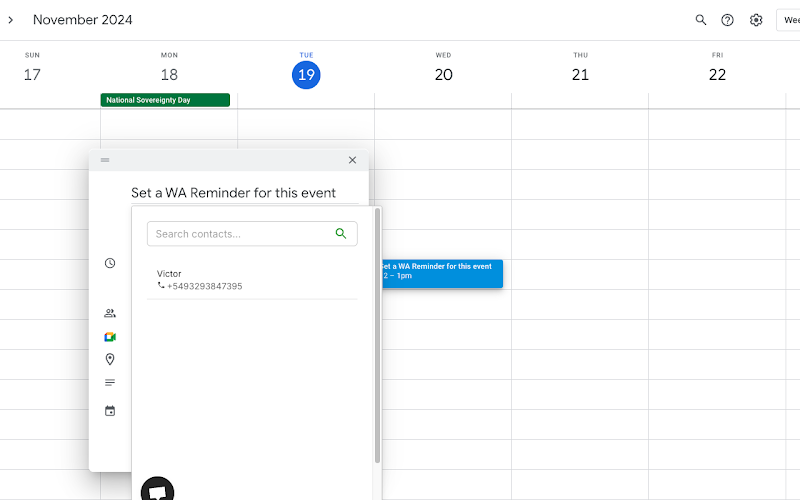
Download the Chrome extension here
Nothing is sending — what to check
Work down this list in order:
- Do you have an active plan? Calendar sync requires a paid subscription.
- Did you sign in with Google? An email-and-password account cannot read your calendar. Log out and back in with Google.
- Is sync enabled and saved in /dashboard/gcal?
- Have you added the calendar the events live in? Only added calendars sync.
- Are you using the same Google account in Google Calendar as in WA Reminders?
- Does the event contain a phone number or a matched contact? Events with neither are skipped silently.
- Is the number in international format, with
+and no punctuation stuck to it?
If all seven check out, the scheduled message appears in your dashboard before it sends — so that page tells you whether the calendar side worked.
Get started
If your calendar is already full of client appointments, this takes about ten minutes to set up and then runs on its own. Try WA Reminders with a 14-day money-back guarantee.